I won't admit to being a productivity nut but I am a pretty busy person :) I manage my tasks with the excellent TodoTxt system which is a simple line-per-task textfile that lives in dropbox and can be accessed by all my various devices (I'm usually a linux/android user). One use case that I've never really had a solution for is when I need to do something, but not now.
Alternatively, find a way of automating this. I used Zapier to read items from a google calendar, and add them to my todotxt file when they happen. This way I can drop todo items into the calendar and forget about them - they'll show up in my todo list at the appropriate time. My use cases here are adding a task for month end (I'm working full time but still need to keep business accounts running from my old freelance business), noting that I need a hairdressers appointment at some point before the next conference season, reminding myself to pay for my niece's swimming lessons near the start of term ... you get the idea. It was easy to set up, so here goes:
First: get a Zapier account if you don't have one. Then add integrations with Google Calendar and Dropbox to allow Zapier to operate on your accounts on those platforms.
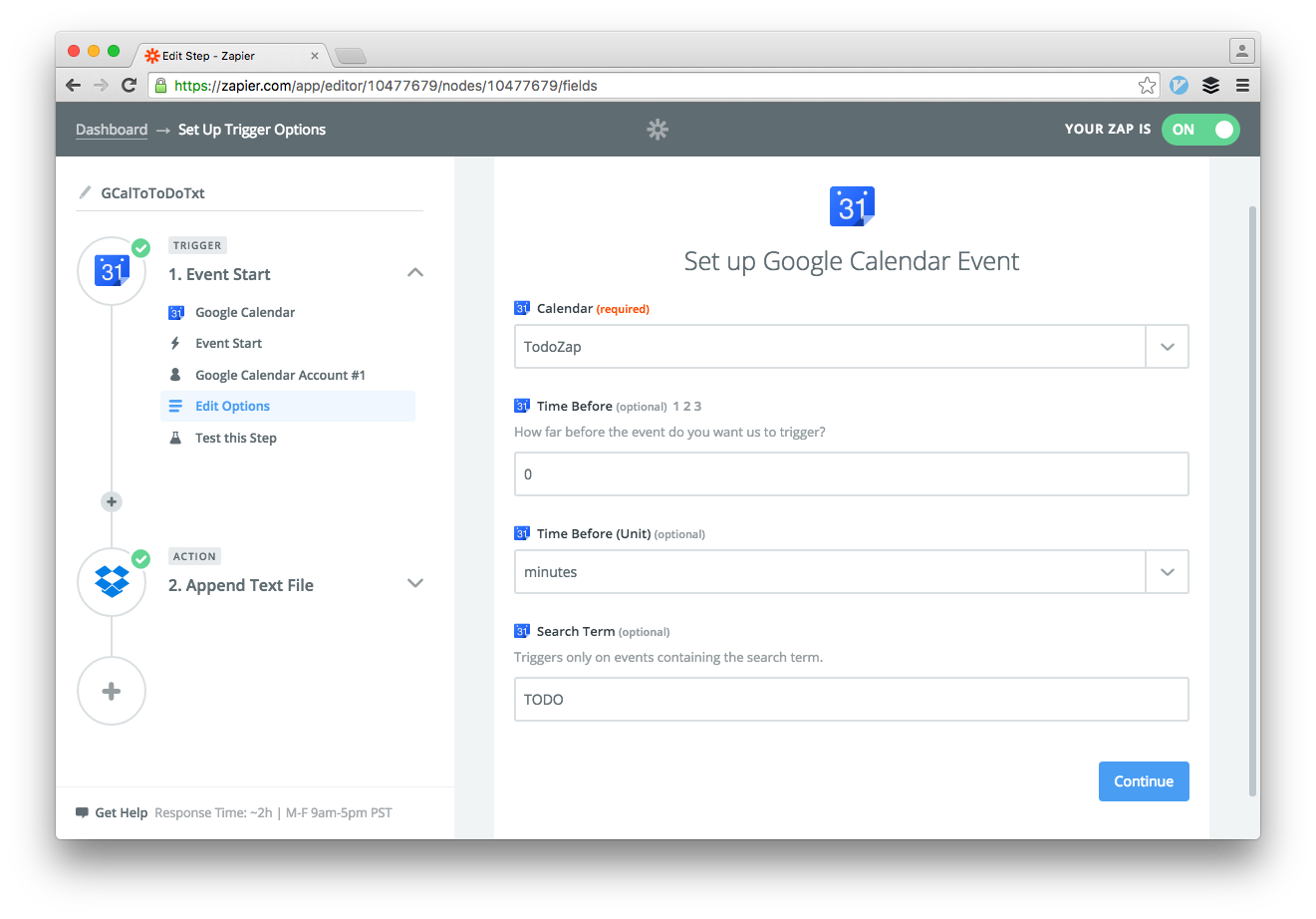
The "Trigger" is a google calendar event - set it up to trigger a certain amount of time before the event (mine is set to zero so it'll trigger whenever I scheduled the event for). I set up a separate calendar for this (so I can turn it off in mobile view) and also added a search term for TODO which would be another way of separating out these events from your other calendar appointments.
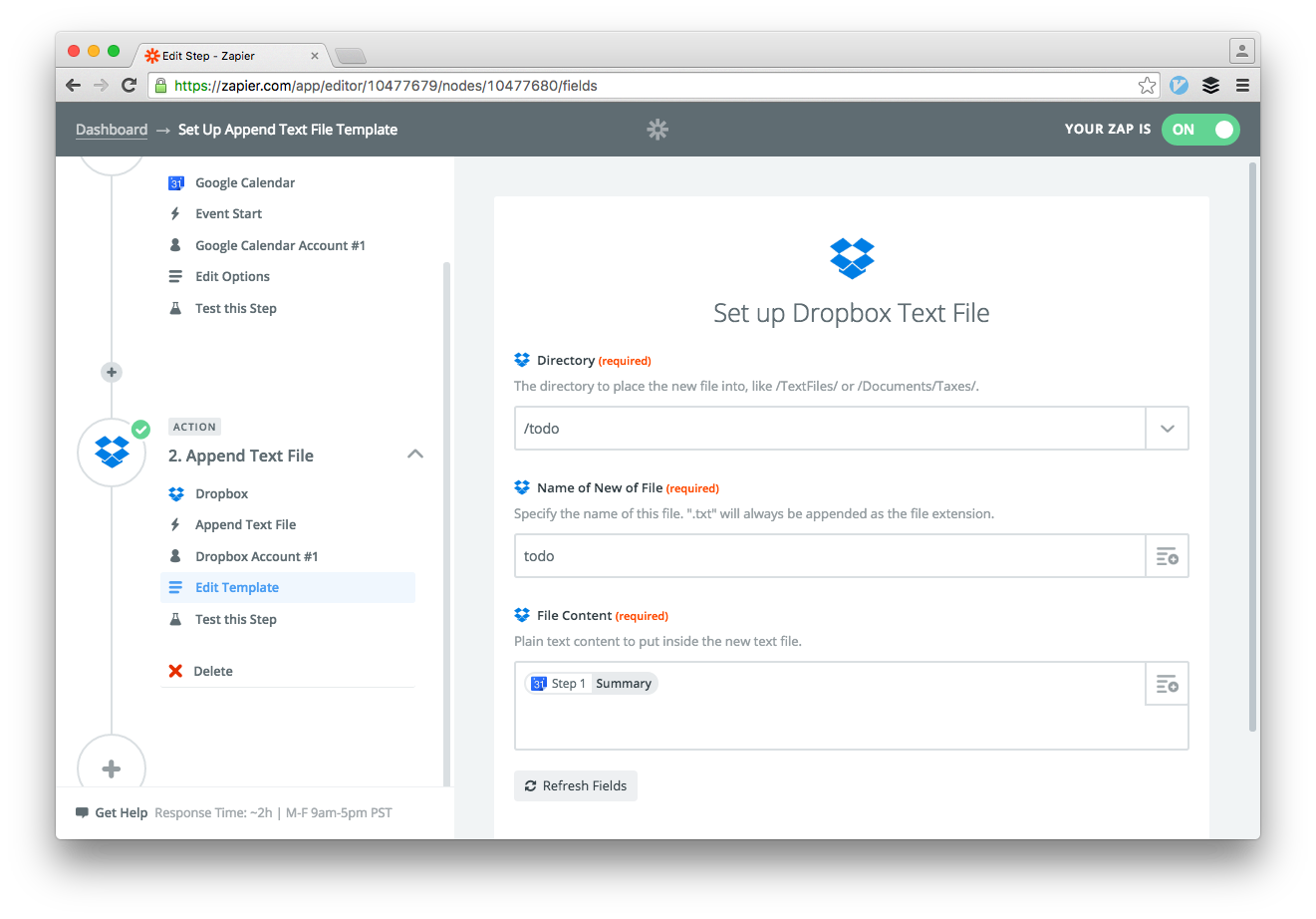
For this zap, the "Action" is to write to the todotxt file. With a line per task, it's the same function as appending a line to a file (think logfiles) so pretty straightforward. The action you want is a "create" action called "Append Text File", then in the setup you configure the path and filename, plus the content to put into the file (you get to pick from a list of things that it got from the previous step, I'm just adding the calendar appointment title into mine).
And you're done - this checks pretty often (I think every 15 minutes) so you can just throw in the "must deal with Auntie Harriet's birthday when I get back from my business trip" to a calendar where this task is safely captured but won't bother you until it's time for this task to be in scope.
I love Zapier and little tricks like this work well for me both at work and at home.