I'm the proud owner of a Streamdeck XL but as an Ubuntu user, the tool support isn't great. There's a Python library that gives a bit of a GUI but I found it hard to use and I'd have needed to put each piece of functionality as a commandline script that this program could call. Instead, I am using go-streamdeck to create a custom application - and I'm having fun! Today's example adds a single button that runs a command to take a screenshot.
Command to Take a Screenshot
I'm on Ubuntu so I can take a screenshot, of the active window, after 2 seconds, with a command like this:
/usr/bin/gnome-screenshot -w -d 2
I wanted to quickly run this from my streamdeck so I could take screenshots while I work (I write quite a lot of technical blog posts, this comes up pretty often). It works a treat!
Pro-tip: Use a script to resize the window you are taking screenshots of (see also: earlier post about resizing windows), this way they will all be the same size, a useful aspect ratio and if you need to replace one, it will match too.
Add the Command to a Streamdeck Button
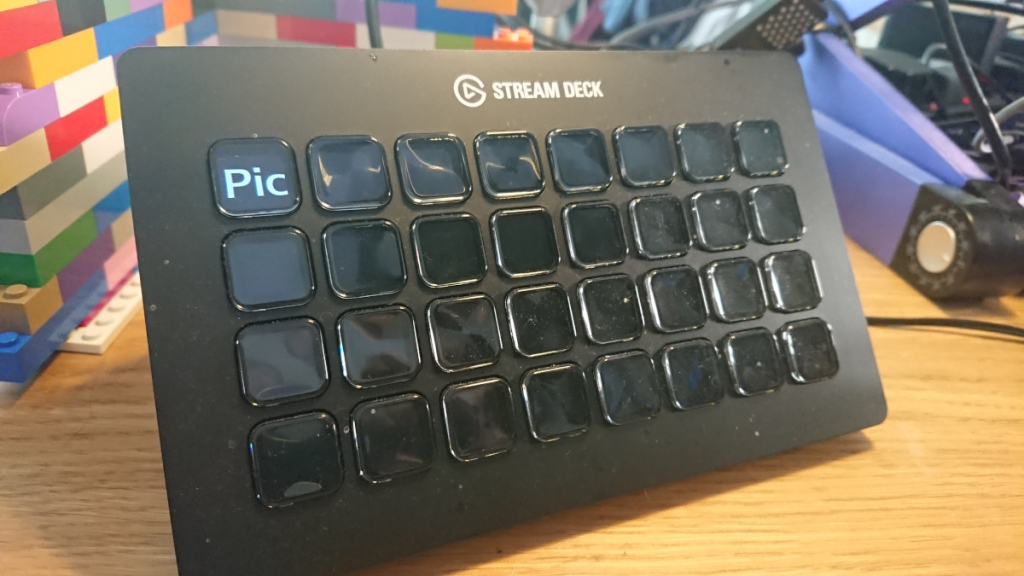
Here's a simple example script that puts a button labelled "Pic" in the first slot on the streamdeck and sends my screenshot command when it is pressed.
package main

import (
    "fmt"
    "io/ioutil"
    "os/exec"
    "sync"

    "github.com/magicmonkey/go-streamdeck"
    "github.com/magicmonkey/go-streamdeck/actionhandlers"
    "github.com/magicmonkey/go-streamdeck/buttons"
    _ "github.com/magicmonkey/go-streamdeck/devices"
)

func main() {

    fmt.Println("Hello")

    sd, err := streamdeck.New()
    if err != nil {
        panic(err)
    }

    myButton := buttons.NewTextButton("Pic")
    shotaction := &actionhandlers.CustomAction{}
    shotaction.SetHandler(func(btn streamdeck.Button) {
        go takeScreenshot()
    })
    myButton.SetActionHandler(shotaction)
    sd.AddButton(0, myButton)

    var wg sync.WaitGroup
    wg.Add(1)
    wg.Wait()
}

func takeScreenshot() {
    fmt.Println("Taking screenshot with delay...")
    cmd := exec.Command("/usr/bin/gnome-screenshot", "-w", "-d", "2")
    stderr, _ := cmd.StderrPipe()
    stdout, _ := cmd.StdoutPipe()
    if err := cmd.Run(); err != nil {
        panic(err)
    }

    slurp, _ := ioutil.ReadAll(stderr)
    fmt.Printf("%s\n", slurp)
    slurp2, _ := ioutil.ReadAll(stdout)
    fmt.Printf("%s\n", slurp2)

    fmt.Println("Taken screenshot")
}
Using the go routine means that if I have other functionality in this application then I don't need to wait for the command to complete before I can press another button - especially important because this command has a delay in it.
I know I'll be referring back to this post when I want to add commands to buttons in my streamdeck project, so if it's helpful for you as well, then that is even better :) If you want to see my project (under active development just now) then it's on GitHub. Let me know if you use it!