I surprised someone with my leet skills the other with this technique, so I thought I'd share it on the blog in case anyone else hadn't seen it - I use it ALL the time :) Chrome has a feature which allows you to copy a web request as a curl request, so you see all the various elements of the request on the command line.
As an example, let's consider a request to my site http://beta.lornajane.net. I turn on the developer tools in Chrome, make the request, and check the "Network" tab. There I see requests for the page itself and also each of the assets. Right-click on any of the entries there, and you'll see the option to copy the request as curl:
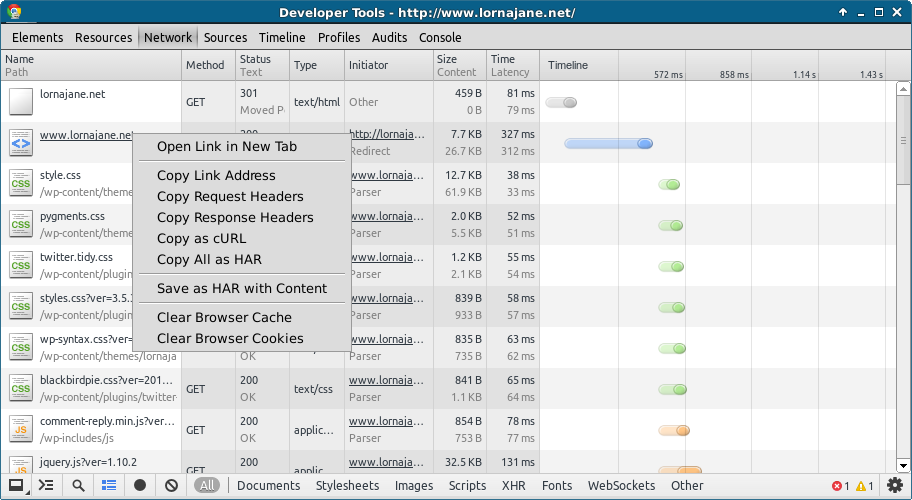
When you paste the contents of your clipboard onto the command line, you'll see something like this:
This shows all of the headers, switches and data that were sent when Chrome made this request, and now I've got it in this format I can of course edit any part of it that I please! I find it really useful when a particular request or endpoint is causing a problem just to be able to grab the single request and be able to replicate it on the command line very easily. I hope it helps you too - I'm sure the other browsers have equivalent tools so if you use an alternative way of doing the same thing, could you please add a comment and share it please? Thanks :)